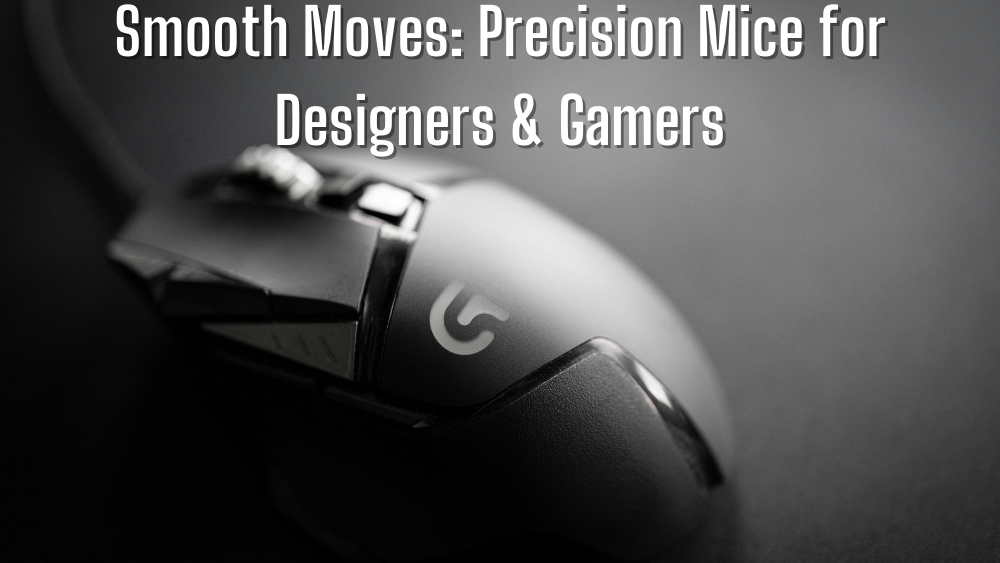
Whether you’re a professional designer, a competitive gamer, or simply someone who spends a lot of time on their computer, the right mouse can make a world of difference. A smooth, responsive, and comfortable mouse can enhance your productivity, comfort, and overall experience. This article dives into the best precision mice for designers and gamers alike. From ergonomic options to high-DPI gaming mice, we've got you covered. Let’s explore what makes a great mouse, and which ones stand out in the market today.
Why Precision Matters: The Role of a Good Mouse
When it comes to both design and gaming, precision is everything. A slow, unresponsive, or uncomfortable mouse can slow you down and cause frustration. Designers need accuracy to bring their visions to life, while gamers require high sensitivity and control for those split-second decisions.
Key Features to Look for in a Precision Mouse
-
DPI (Dots Per Inch): Higher DPI allows for greater accuracy and faster movement, ideal for gamers and designers working on intricate details.
-
Ergonomics: A comfortable design can prevent wrist strain and fatigue, especially for those working long hours.
-
Customization: Adjustable buttons and sensitivity are a must-have for both gamers and professionals.
-
Build Quality: Durability is essential, particularly for those who game intensely or use their mouse throughout the day.
Best Mice for Designers
1. Ergonomic Mouse for Wrist Pain
For designers, comfort is key, especially for those who spend hours in front of their screens. An ergonomic mouse can make a significant difference in reducing wrist pain and discomfort.
-
Logitech Lift Vertical Ergonomic Mouse
Designed specifically to relieve wrist pain, this mouse features a vertical design that encourages a natural hand position. It’s perfect for professionals who need to work comfortably for extended periods. The Logitech Lift Vertical Ergonomic Mouse offers a smooth, precise experience for design work.
Explore it here -
Logitech Ergo M575 Wireless Trackball Mouse
A trackball mouse like the Logitech Ergo M575 is a fantastic option for designers. Its ergonomic design means you don’t have to move your arm around much. Just rotate the trackball with your thumb for precise control.
Check it out here
2. Stylish Mouse for MacBook
Designers who use MacBooks want a mouse that is both functional and stylish. A sleek, minimalist design that complements your MacBook’s aesthetic can enhance your workspace.
-
Microsoft Arc Touch Mouse
This compact, stylish mouse is perfect for designers on the go. It’s ultra-portable and features a unique touch-sensitive surface for precise control. The Microsoft Arc Touch Mouse is perfect for those who need a mouse that doesn’t take up much space but still delivers performance.
Find it here
3. Wireless Mouse for Laptops
When you’re designing on a laptop, you often need a mouse that is wireless, compact, and reliable. A good wireless mouse ensures that your workflow isn’t interrupted by tangled cords.
-
Verbatim USB-C™ Wireless Blue LED Mouse
This Verbatim USB-C™ Wireless Blue LED Mouse is perfect for designers who work with laptops. Its blue LED technology ensures it works on virtually any surface. Plus, it’s USB-C compatible, making it ideal for modern laptops.
Explore it here
4. Budget-Friendly Computer Mouse
Not all designers need to break the bank for a high-quality mouse. A budget-friendly option that doesn’t compromise on performance can be perfect for those starting out or those working on a budget.
-
Kensington 72274 Notebook Keypad Calculator with USB Hub
While not a traditional mouse, this device is perfect for designers who need a bit more functionality. The Kensington 72274 Notebook Keypad includes a calculator and USB hub, making it an affordable addition to any designer’s workspace.
Learn more here
Best Mice for Gamers
1. Gaming Mouse with High DPI
For gamers, precision and speed are paramount. A gaming mouse with high DPI ensures quick and accurate responses during intense gameplay.
-
Mad Catz R.A.T. 2 Gaming Mouse
Known for its customizable features, the Mad Catz R.A.T. 2 Gaming Mouse is a favorite among gamers. Its high DPI range allows for precise movements in high-stakes gaming situations.
Check it out here -
Saitek X52 Professional H.O.T.A.S
For flight simulation gamers, the Saitek X52 Professional H.O.T.A.S offers unparalleled precision. It comes with metal throttle and stick controls for a highly immersive gaming experience.
Explore it here
2. Rechargeable Wireless Mouse
For those who prefer wireless technology, a rechargeable wireless gaming mouse is a great option. You get the freedom of wireless control without the hassle of replacing batteries.
-
Saitek Flight Rudder Pedals
While not a traditional gaming mouse, the Saitek Flight Rudder Pedals are a must-have for flight simulator enthusiasts. These pedals provide precise control for an immersive experience.
Find it here
3. Lightweight Mouse for Travel
For gamers on the go, a lightweight mouse is essential. A portable, travel-friendly option ensures you don’t compromise on performance, even when you're away from your gaming setup.
-
USB Wired Mouse for PC
A wired mouse is often preferred by competitive gamers due to its low latency. The USB Wired Mouse for PC offers a stable connection for those who want the fastest response time during gameplay.
4. Silent Click Mouse for Work
For gamers who also need to work or study, a silent-click mouse is a great choice. These mice reduce the clicking noise, making them more suitable for shared spaces or late-night gaming sessions without disturbing others.
-
Logitech MX Master 3
The Logitech MX Master 3 is not only silent but also highly customizable, offering top-notch performance for both gaming and work. It’s perfect for gamers who need precision but don’t want the loud click sounds.
Explore it here
Choosing the Right Mouse: A Quick Guide
Here’s a quick breakdown of which mouse might be best for your needs:
For Designers:
-
Best Wireless Mouse for Office Use: Look for reliability and comfort.
-
Ergonomic Mouse for Wrist Pain: Choose a vertical or trackball mouse.
-
Stylish Mouse for MacBook: Go for sleek, minimalist designs.
-
Budget-Friendly Computer Mouse: Opt for functional yet affordable options.
For Gamers:
-
Gaming Mouse with High DPI: High precision for quick reactions.
-
Rechargeable Wireless Mouse: Freedom from cables without compromising on performance.
-
Lightweight Mouse for Travel: Take your gaming anywhere with a portable option.
-
Silent Click Mouse for Work: A quieter option for late-night gaming sessions.
Conclusion
A good mouse is more than just a tool—it’s an essential part of both your creative and gaming journey. Whether you're designing a masterpiece or in the middle of an intense gaming session, the right mouse can make all the difference. With so many options available, from ergonomic to high-DPI gaming mice, finding the best precision mouse for your needs has never been easier.
For top-quality mice and pointing devices, check out the full range at SkinHelpZone.
By considering your needs, preferences, and specific use case, you can select the mouse that perfectly suits your style, ensuring smooth moves every time you click.